How to secure model ID’s in Livewire and why this is important

Lead developer at 3rdRisk.com. Proud father of two kids. Tech optimist. Apple and Laravel enthusiast.
TL;DR
There is a way to protect your public properties in Livewire 2 in the way it will work in the upcoming Livewire 3. There is a Trait at the end of the article you can use for this.
Why should you protect model ID's in Livewire
Livewire is great! It provides superpowers to your backend code to also create a reactive frontend without relying heavily on JavaScript. But as with everything, with great power comes great responsibility. I’ve been working with Livewire since version 1 with much enthusiasm. In the years of using it, I’ve developed some best practices for performance and security. In this article, I will focus on what I think is the most important thing in Livewire security.
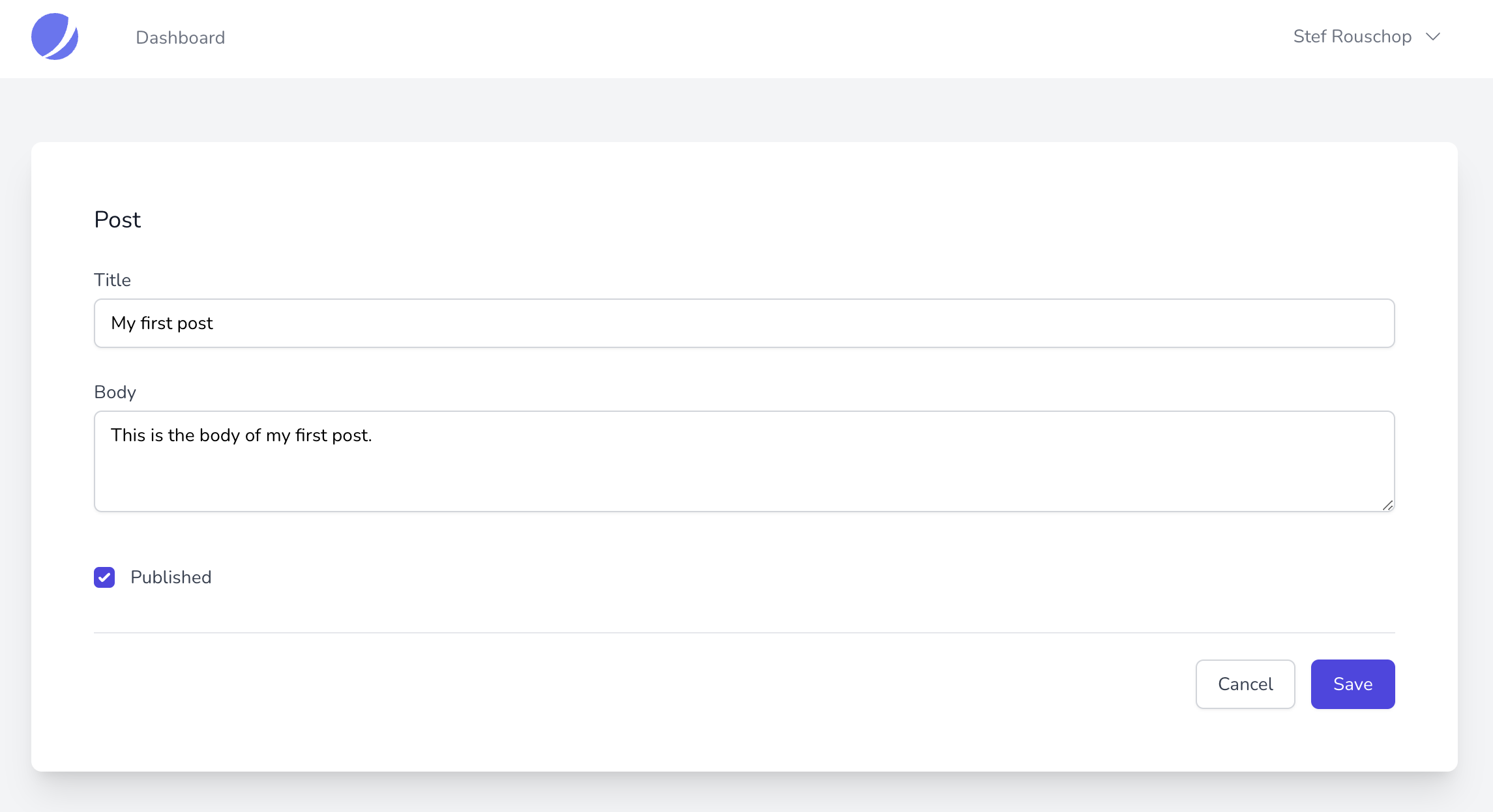
One caveat in Livewire (version 1 and 2) is that only public properties remain state between Livewire interactions. This shouldn’t be a problem, at least not if you’re aware of how a potential hacker would abuse this. Let’s go over this by a simplified example. We’ll create a very simple Livewire component that will publish a draft blog post.
A different best practice that I need to mention is to only store the model ID and not the entire model in a public property. I know we are allowed to do this, but this will impact performance, but that is out of the scope of this article.
Let’s start by creating this component and see how this can be exploited.
<?php

namespace App\Http\Livewire;

use App\Models\Post;
use Livewire\Component;
use Illuminate\Contracts\View\View;
use Illuminate\Auth\Access\AuthorizationException;
use Illuminate\Foundation\Auth\Access\AuthorizesRequests;

class EditPostComponent extends Component
{
    use AuthorizesRequests;

    public int $postId;

    public $state = [
        'title' => '',
        'body' => '',
        'published' => false,
    ];

    public function rules(): array
    {
        return [
            'state.title' => 'required|string|max:255',
            'state.body' => 'required|string|max:5000',
            'state.published' => 'boolean',
        ];
    }

    /**
     * @throws AuthorizationException
     */
    public function mount(Post $post): void
    {
        $this->authorize('update', $post);

        $this->postId = $post->id;
        $this->state = $post->only('title', 'body', 'published');
    }

    public function render(): View
    {
        return view('livewire.edit-post-component');
    }

    /**
     * @throws AuthorizationException
     */
    public function save(): void
    {
        $this->validate();
        $post = Post::findOrFail($this->postId);
        $this->authorize('update', $post);

        $post->title = $this->state['title'];
        $post->body = $this->state['body'];
        $post->save();
    }
}
Let's see what the component does. When the component is loaded:
We will check if the user is allowed to update this post with
$this->authorize('update', $post);(the policy to check this is out of the scope of this article).After all checks out, we will hydrate the state and fill the
$postId.
When a user makes changes and calls save:
We'll get the Post model from the database.
Check again if the user is allowed to edit this Post and save the changes.
For clarity, I've left out all the code for the frontend in this article.
Let's hack this component!
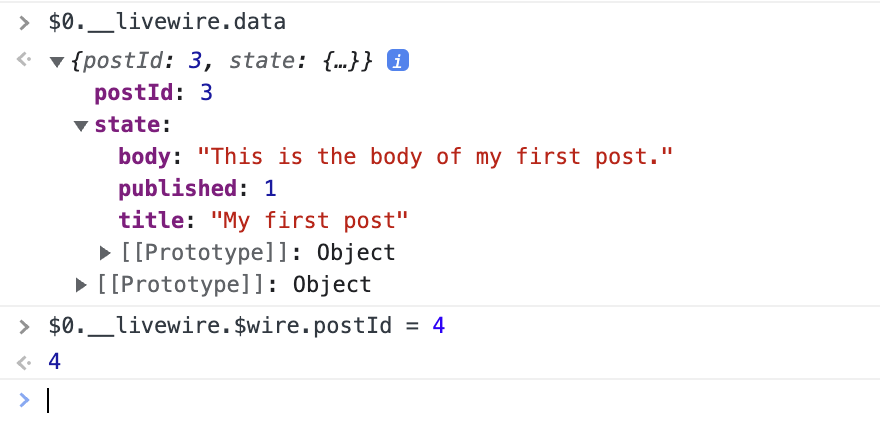
There are a couple of ways how you can change a public Livewire property. Here is a simple one. Firstly, go into the Chrome devtools and search in the source code where you can find wire:id=xxxxxxx and select it. After that, you can go to the console and type $0.__livewire.data, you can see that the result provides you all the public properties. When you type $0.__livewire.$wire.postId = 4 you've successfully changed the $postId. If you would now make changes to any of the fields, it will be saved to the Post id of 4. It's that easy!
How to protect your component
There are multiple ways how we can protect our component. The first one is really easy: Wait until Livewire 3 is released, since we will then get the possibility to protect public properties by adding the /** @locked */ annotation. But at this point, we're unaware when Livewire 3 will be released.
I have to be honest, I used to protect my components by encrypting and decrypting the ID within the component. When someone would try to change the value and the new value was not decryptable, it would throw an error that I would catch. But later on I found a great different approach by Mark Snape in this video: https://www.youtube.com/watch?v=bA1dMbUiwuA. Mark listens in the Livewire component to see if someone would update the PostId and then throw an error. I think this is the best approach possible!
I tried to take this a little further and created a Trait, so we can use it easily in all our components and also use the /** @locked */ annotation, so it will also be compatible with Livewire 3 💪🏻. After upgrading to Livewire 3, we only need to remove the Trait, and we're done.
In our component, we'll just need to add the annotation and import our Trait.
<?php

namespace App\Http\Livewire;

use App\Models\Post;
use Livewire\Component;
use Illuminate\Contracts\View\View;
use App\Traits\WithLockedPublicPropertiesTrait;
use Illuminate\Auth\Access\AuthorizationException;
use Illuminate\Foundation\Auth\Access\AuthorizesRequests;

class EditPostComponent extends Component
{
    use AuthorizesRequests, WithLockedPublicPropertiesTrait;

    /** @locked  */
    public int $postId;

    ...
}
And here is the trait that we can use for this.
<?php

namespace App\Traits\Livewire;

use Str;
use ReflectionException;
use App\Exceptions\LockedPublicPropertyTamperException;

trait WithLockedPublicPropertiesTrait
{
    /**
     * @throws LockedPublicPropertyTamperException|ReflectionException
     */
    public function updatingWithLockedPublicPropertiesTrait($name): void
    {
        $propertyName = Str::of($name)->explode('.')->first();
        $reflectionProperty = new \ReflectionProperty($this, $propertyName);
        if (Str::of($reflectionProperty->getDocComment())->contains('@locked')) {
            throw new LockedPublicPropertyTamperException("You are not allowed to tamper with the protected property {$propertyName}");
        }
    }
}
The Trait uses ReflectionProperty to see if @locked is available on the property that is about to be changed. If so, it will throw an LockedPublicPropertyTamperException exception. You need to create this exception first, of course. Since I always store all the state in a public $state array, the updated Livewire model name will be something like state.title, since we only need the first part of this dot-notation, we strip the unneeded part in the first line of the method.
You can follow me on twitter to stay up to date with Laravel and Livewire articles https://twitter.com/stef_r